

What you’ll learn
This guide shows you how to:- Import and configure Weave in your code.
- Use the
weave.opdecorator to track your code. - View traces in the Weave UI.
Prerequisites
- A W&B account
- Python 3.10+ or Node.js 18+
- Required packages installed:
- Python:
pip install weave openai - TypeScript:
npm install weave openai
- Python:
- An OpenAI API key set as an environment variable
Log a trace to a new project
In this section, you instrument a small application so that Weave can record its inputs, outputs, and code. To begin tracking your code and logging traces to Weave:- Import the
weavelibrary into your code. - Call
weave.init('your_wb_team/project_name')in your code to send tracking information to your W&B team and project. If you don’t set a team, Weave sends the traces to your default team. If the specified project doesn’t exist in your team, Weave creates it. - Add the
@weave.op()decorator to functions you want to track. Although Weave automatically tracks calls to supported LLMs, the decorator lets you track the inputs, outputs, and code of specific functions. The decorator uses the following syntax in TypeScript:weave.op(your_function).
- Python
- TypeScript
extract_dinos function, Weave outputs links in the terminal to view your traces. The output looks like this:
See traces of your application in your project
Now that your code has produced a trace, you can inspect it in the Weave UI. Click the link in your terminal or paste it into your browser to open the Weave UI. In the Traces panel of the Weave UI, click the trace to see its data, such as its input, output, latency, and token usage.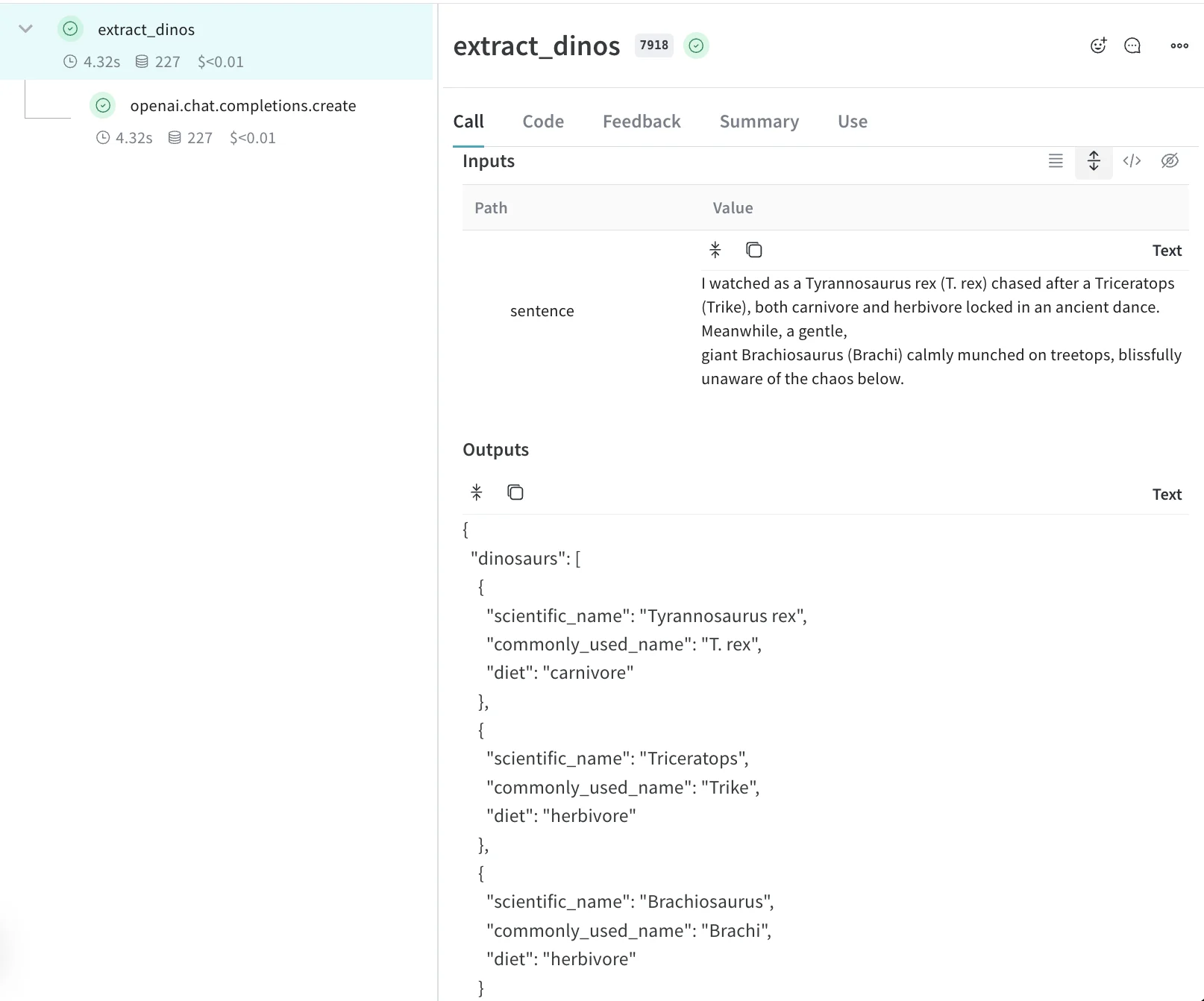
Learn more about traces
- Learn how to decorate your functions and retrieve call information.
- Try the Playground to test different models on logged traces.
- Explore integrations. Weave automatically tracks calls made to OpenAI, Anthropic, and many more LLM libraries. If your LLM library isn’t one of the Weave integrations, you can track calls to other LLM libraries or frameworks by wrapping them with
@weave.op().